If you're reading this, odds are you're running a business on software that was built years ago — maybe a decade, maybe two — and it's starting to feel like a liability. Support contracts are running out. The consultant who built it has retired. Your team works around it instead of with it. Every time something changes, someone whispers, "please don't break it."
You've probably been told you need to "modernize." But nobody has explained what that actually means for your business, how much it costs, or — most importantly — whether you should do it at all.
This guide is for operators, not engineers. We'll walk you through what legacy systems really are, what they cost you in ways you can't see on a spreadsheet, and how to decide whether to migrate, rebuild, or leave your system exactly as it is.
What Is a Legacy System, Really?
Forget the technical definitions. Here's the one that matters for your business:
A legacy system is any software that's costing you more to keep running than it would cost to replace — in time, money, risk, or opportunity.
That's it. Age doesn't matter. A 15-year-old system that still works perfectly and does exactly what your business needs is not a legacy problem. A 3-year-old system that everyone fights with every day is.
The systems that typically show up in modernization conversations look like this:
- → COBOL mainframes — still running in banks, insurance companies, and government. Work fine, but nobody under 55 can maintain them.
- → Old .NET or VB6 applications — built in the 2000s, running on servers in your office closet, depending on Windows Server versions that stopped getting security updates years ago.
- → On-premises Java applications — usually enterprise ERPs or workflow systems, often running on Oracle databases that cost a small fortune in licensing.
- → Custom-built Access or FileMaker databases — the "spreadsheet on steroids" that runs an entire department, maintained by that one person who really understands it.
- → Old PHP monolith websites — e-commerce or customer portals built 8-12 years ago, now impossibly tangled, where every change takes three weeks.
If any of these sound like your business, you're not alone. And you're not necessarily in trouble.
The True Cost of Keeping Legacy Systems Running
Most business owners look at their annual IT maintenance bill and think that's the cost of their legacy system. It's not even close. The real cost is hidden in places your accountant will never find.
The Cost of Inaction — A Quick Calculator
Want a rough number for what your legacy system is really costing you? Add these up for the past 12 months:
If that number is higher than what a modernization project would cost — and in our experience, for most SMBs it is, by a factor of 2 to 5 — you have a business case for doing something.
The question is: what?
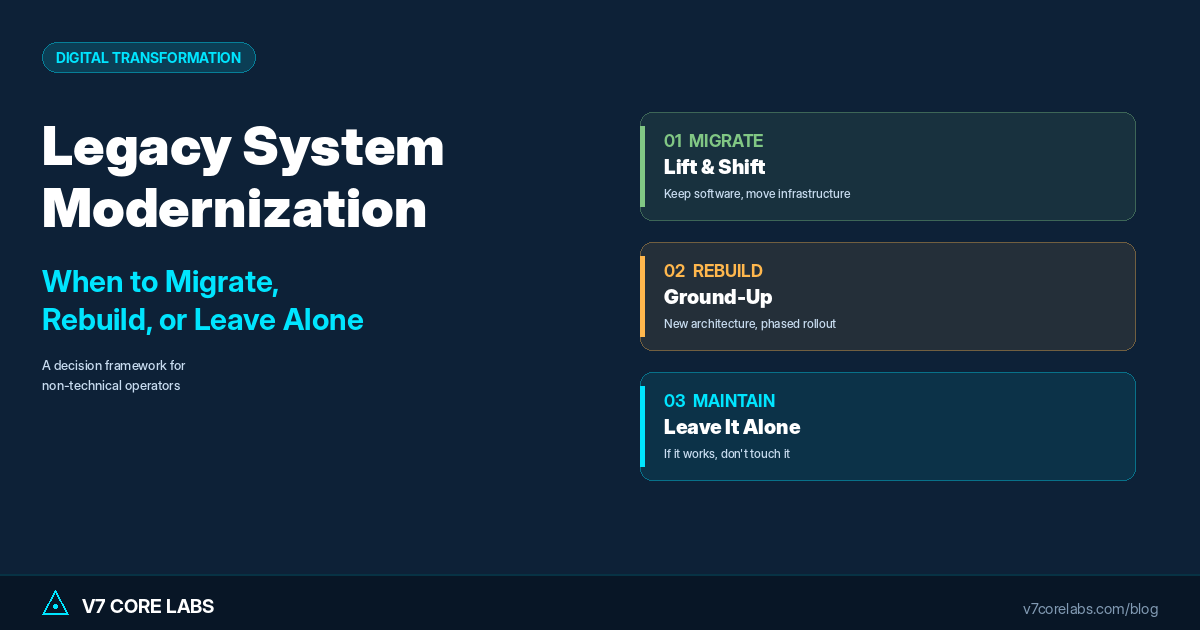
The Three Paths Forward
You have three real options. Not ten, not a dozen — three. Anyone selling you something more complicated is probably trying to sell you consulting hours.
Option 1: Migrate (Lift and Shift)
Migration means taking your existing software and moving it to a modern environment — usually the cloud — without rewriting how it works. It's the fastest and cheapest path, and it solves specific problems.
Migrate when:
- → The software does what your business needs, and your team knows how to use it.
- → The pain is infrastructure-related: aging servers, end-of-life operating systems, expensive data center costs, or disaster recovery gaps.
- → You need to reduce costs or improve reliability without disrupting operations.
- → Compliance is driving the move (e.g., on-premises data can't meet new security standards).
What it looks like in practice: An old Java application running on servers in your office moves to AWS. The code barely changes. Users don't notice anything different except that the system is faster and more reliable. Maintenance costs drop 30–50%.
Typical timeline: 2–4 months.
Typical cost: $15,000–$80,000 for SMB systems, depending on complexity.
Option 2: Rebuild from Scratch
Rebuilding means throwing out the old software and building new software that does the same job plus whatever else your business now needs. This is the longest, most expensive option — but sometimes it's the only one that makes sense.
Rebuild when:
- → The software doesn't actually do what the business needs anymore — your team fights with it every day, or you've outgrown what it can handle.
- → Nobody knows how the original code works, and the documentation is missing or worthless.
- → The original technology is so outdated that no developer under 50 can maintain it.
- → You want to add features (AI, mobile access, modern integrations) that simply aren't possible on the old architecture.
- → The cost to keep patching it exceeds the cost to replace it within 2–3 years.
What it looks like in practice: You commission a new system built on modern architecture. It replicates everything critical from the old system (often using a "strangler fig" pattern where the new system gradually takes over functions from the old one), plus adds capabilities the old system could never support.
Typical timeline: 4–12 months, depending on complexity.
Typical cost: $40,000–$400,000 for SMB systems.
"What if the migration breaks everything and my business stops running?"
This is the right fear to have. Bad modernization projects have killed businesses. But a good one runs the old system and the new system in parallel for weeks or months — no big-bang cutover, no "hope everything works." You validate the new system with real data before the old one gets turned off. Never accept a modernization plan that doesn't include parallel running.
Option 3: Leave It Alone (Yes, Really)
This is the option nobody wants to sell you. We're telling you about it anyway because ignoring it has cost plenty of businesses more than modernization ever would.
Leave it alone when:
- → The system works, is stable, and your team is productive with it.
- → It's not holding back growth, new products, or new markets.
- → You have at least two people who know how to maintain it, and neither is planning to retire in the next 3 years.
- → There are no serious security vulnerabilities (the system isn't exposed to the public internet, or it's behind proper firewalls).
- → The annual cost of keeping it running is modest relative to replacement.
Stable, boring, ugly software that does the job is not a crisis. It's an asset. Plenty of global banks still run on COBOL because the economics of replacement don't justify the risk. If your system is working, you don't have to modernize it just because someone at a conference said "digital transformation."
The one caveat: even if you leave the system alone, you should document it thoroughly and have a succession plan for the people who maintain it. That's cheap insurance.
The Scoring Matrix: Which Path Is Right for You?
Score your current system on each of the following. Add up the totals to see which path fits.
| Question | No (0) | Somewhat (1) | Yes (2) |
|---|---|---|---|
| Does the system crash or slow down often? | ☐ | ☐ | ☐ |
| Does your team work around the system with spreadsheets or manual processes? | ☐ | ☐ | ☐ |
| Is it hard to find developers who can maintain it? | ☐ | ☐ | ☐ |
| Can you NOT integrate it with the tools you want to use? | ☐ | ☐ | ☐ |
| Does the system block new product or service launches? | ☐ | ☐ | ☐ |
| Is your operating system or database version unsupported? | ☐ | ☐ | ☐ |
| Does only one or two people know how the system works? | ☐ | ☐ | ☐ |
| Are the business rules inside the system no longer accurate? | ☐ | ☐ | ☐ |
How V7 Core Labs Approaches Modernization
We don't start with code. We start with a two-week discovery process that answers three questions:
- What does your system actually do today? We map every workflow, every integration, every business rule — even the ones that aren't documented anywhere.
- What does your business need it to do tomorrow? We interview the people who use the system daily to separate what's essential from what's legacy habit.
- What's the right path — migrate, rebuild, or leave alone? We give you a written recommendation with cost, timeline, and risk assessment. Sometimes the answer is "don't hire us to do this."
Our approach to enterprise modernization is conservative for a reason. We've seen too many modernization projects fail because a team rushed to rewrite without understanding what they were replacing.
Case Example: Monolith to Microservices Without the Downtime
A Dubai-based logistics company came to us with an 8-year-old inventory system built as a single giant application (what engineers call a "monolith"). The symptoms were textbook:
- → Deployments took 4 hours. Every deployment risked downtime.
- → Processing errors happened multiple times a week.
- → Adding new warehouses required weeks of engineering work.
- → Nobody wanted to touch the code.
Score on our matrix? 14 out of 16. Rebuild territory.
But the business could not afford downtime — warehouses ran 24/7 across three time zones. A big-bang rebuild would have killed the company.
Our approach: Strangler fig migration. We built new microservices one at a time — starting with the warehouse receiving module — and ran them in parallel with the old monolith. Each new service took over its function, traffic was routed gradually, and once validated, the equivalent part of the old system was decommissioned.
Over four months, the monolith shrank piece by piece while the new platform grew. At the end, the old system was gone and nobody had noticed a single minute of downtime.
The Honest Takeaway
Legacy modernization is not a technology project. It is a business decision with technology consequences. The right path for you depends on what your system does, what your business needs, and what you can afford to risk.
If your system is working and your team is productive, leave it alone and document it. If your infrastructure is failing but the software is fine, migrate it. If the software itself has become the bottleneck, rebuild it — but only with a partner who will run the old and new systems in parallel while the transition happens.
And be skeptical of anyone who tells you modernization is simple, fast, or cheap. Done badly, it's the most expensive IT project a business can take on. Done well, it removes a quiet tax on every part of your operation — and you wonder why you waited so long.
Get a Free Legacy System Assessment
We'll evaluate your current architecture, score your modernization urgency, and give you a written recommendation — migrate, rebuild, or leave alone. No cost. No sales pressure. 5-day turnaround.
Request Free AssessmentStill Not Sure What To Do?
Schedule a free 30-minute call. We'll walk through your current system together and help you figure out which path makes sense — even if the honest answer is to do nothing.
Schedule Free Consultation